One household schedule
Everyone in the household opens the same calendar on a phone, tablet or computer, so school, work and activities are all in one place.
 Our Family CalendarGet started
Shared family calendar
School pickups, sports, appointments, work schedules and babysitting — Our Family Calendar puts your household's plans in one color-coded calendar everyone can see.
Already have an account? Sign in
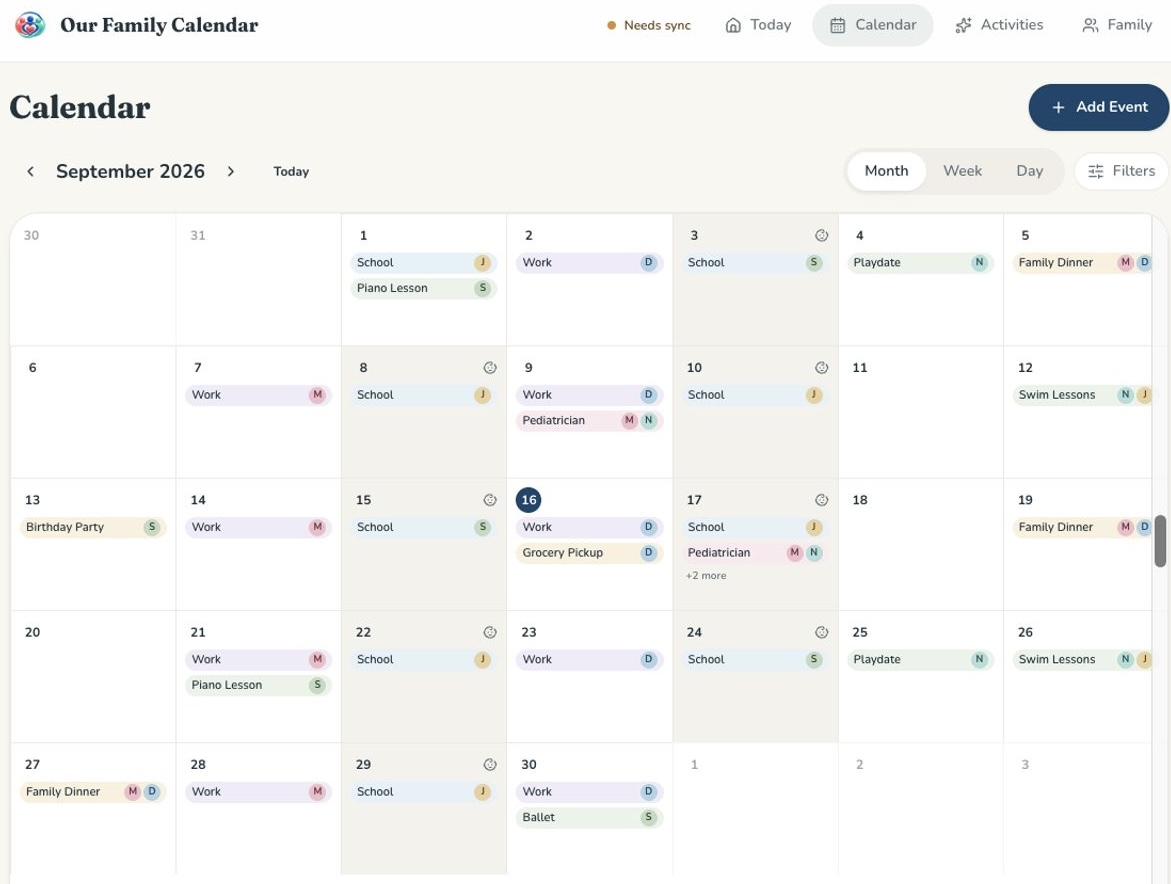
Everyone in the household opens the same calendar on a phone, tablet or computer, so school, work and activities are all in one place.
Each person gets a color and initials, so you can tell whose soccer practice or dentist appointment it is at a glance.
Zoom in on today's pickups or step back to see the whole month. Filter by family member when you only need one person's plans.
Connect Google Calendar so the events you already keep there appear in your family calendar without re-entering them.
Set up weekly lessons, practices and routines once with repeat rules, and keep them organized alongside one-off events.
Optional daily, weekly or monthly email summaries help everyone see what's ahead without checking the app constantly.
Partners can get full access while babysitters and grandparents get view-only access to only the calendars you choose.
Plan recurring nanny shifts and occasional babysitter coverage next to school, work and activities. Caregiver timesheets start from scheduled shifts, caregivers record actual hours, and parents review and confirm them.
It's one calendar the whole household can see and update, so everyone works from the same schedule instead of texts and separate calendars.
Yes. You can connect Google Calendar so existing events show up in your family calendar.
You can subscribe to calendar feeds so events can be viewed in calendar apps that support subscriptions. Full two-way Apple Calendar integration is not available.
Yes, with view-only caregiver access. You choose which calendars they can see, and they can't edit family events.
Planning childcare? Explore our nanny schedule app and caregiver timesheets, or see how we compare to other shared calendar apps.
Family scheduling, simplified. Invite your family when you're ready.
Get started