
Family scheduling, simplified
Choosing the best shared calendar app for your family
Compare the features that matter to your household. Our Family Calendar brings kids' activities, parents' schedules and caregiver coverage into one shared view.
Already have an account? Sign in
What to look for in a shared calendar app
- 1
Everyone sees the same schedule
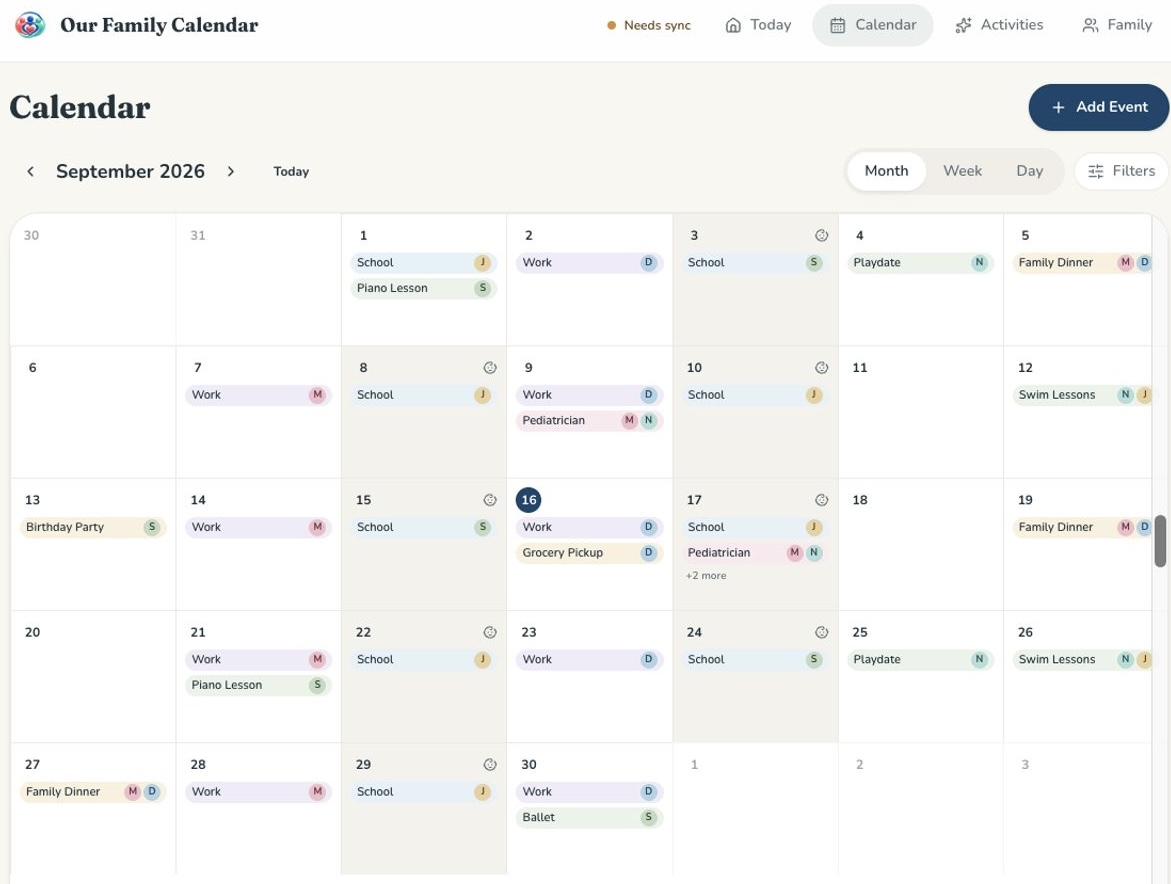
School, sports, work, appointments and childcare live in one calendar the whole household can open on a phone, tablet or computer.
- 2
You can tell who's who at a glance
Each family member gets their own color and initials, so you know whose activity it is without opening the event.
- 3
It works with the calendar you already use
Connect Google Calendar so the events your family relies on show up automatically — no rebuilding your schedule from scratch.
- 4
Caregivers get the right amount of access
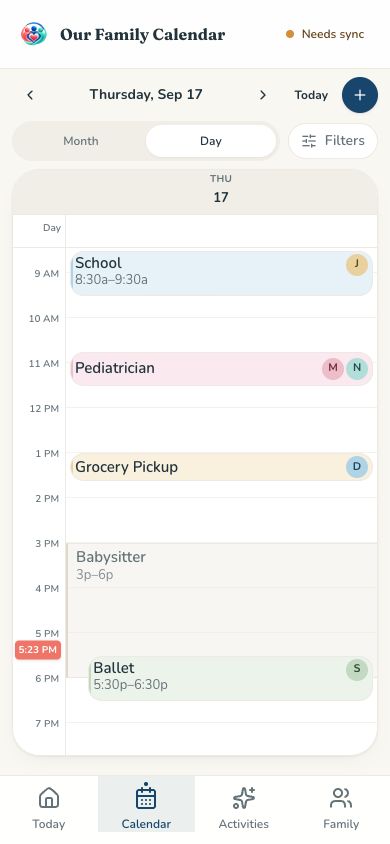
Invite babysitters, nannies and grandparents with view-only caregiver access. Choose the calendars they can see and, if needed, limit visibility to their assigned shift days. Caregiver coverage shows inside the family schedule.
- 5
It stays a calendar
Use your phone, tablet or computer without buying a dedicated calendar display. The shared schedule stays at the center of the experience.
How the options compare
This is a feature guide from Our Family Calendar, not an independent ranking. Other columns describe product categories, not specific brands; features and sharing permissions vary by product and plan. Childcare events can be added to general calendars, but dedicated caregiver visibility controls vary.
Shared household schedule
- Our Family Calendar
- Yes
- General shared calendar
- Yes
- Wall calendar device
- Yes
Color and initials per family member
- Our Family Calendar
- Yes
- General shared calendar
- Varies by app
- Wall calendar device
- Varies by device
Google Calendar integration
- Our Family Calendar
- Yes
- General shared calendar
- Varies by app
- Wall calendar device
- Varies by device
Babysitter & caregiver access controls
- Our Family Calendar
- Yes
- General shared calendar
- Varies by app
- Wall calendar device
- Varies by device
Childcare visible in the family schedule
- Our Family Calendar
- Yes
- General shared calendar
- Can add events
- Wall calendar device
- Varies by device
Integrated caregiver timesheets and parent confirmation
- Our Family Calendar
- Yes
- General shared calendar
- Varies by product
- Wall calendar device
- Varies by product
Special hardware required
- Our Family Calendar
- No
- General shared calendar
- No
- Wall calendar device
- Yes
Need a nanny schedule app as well as a family calendar?
Look for recurring shifts, view-only caregiver access and hours connected to the schedule. Our Family Calendar lets you plan nanny and babysitter shifts alongside family activities and automatically prefills time cards from scheduled shifts, lets caregivers record actual hours, and gives parents a place to review and confirm their timesheets. Your babysitter timesheet stays connected to the schedule it came from, rather than in a separate hour-tracking system.
Questions, answered
- What is the best shared calendar app for families?
- There is no single best app for every family. Look for a readable shared schedule, compatibility with your existing calendars and the right caregiver permissions. Our Family Calendar is an option for households that want member colors, Google Calendar connection and view-only caregiver access in one place.
- Can I share the calendar with a babysitter?
- Yes. Caregiver access is view-only: caregivers cannot edit family events. The household owner chooses which calendars they can see and can restrict visibility to assigned shift days.
- Does it sync with Google Calendar?
- Yes. You can connect Google Calendar so your existing events appear in your family calendar.